
No credit card required
Stop Re-Editing Your Videos
Dynamic overlays that refresh your videos without re-editing. Connect data once—your videos stay up to date, forever.
How it Works
A simple, three-step process to make your videos dynamic and always up to date.

Upload or Import Your Video
Bring your content to Flowly in seconds. Upload your own video files, or simply import any existing content from YouTube or Vimeo. Flowly automatically prepares your video for smart overlays.
Connect Data & Add Smart Overlays
Create your own data sources — APIs, spreadsheets, manual inputs, or social media stats. Then place overlays anywhere on your video timeline. Each overlay pulls from your data sources, ensuring the information shown in the video always stays updated.


Embed Once, Always Up to Date
Copy the generated embed code and place it anywhere — your website, product pages, blog posts, or dashboards. Your video will automatically display the latest data through the overlays, with no need to re-render or re-upload ever again.
Connect Your Data Sources
Seamlessly integrate with multiple data sources to power your dynamic video overlays. Choose from APIs, spreadsheets, social media, and more.
REST API
Connect to any REST API endpoint. Configure headers, query parameters, and authentication to fetch real-time data for your overlays.
- Custom headers & authentication
- Query parameters support
- Request body configuration
Google Sheets
Link directly to your Google Sheets. Your video overlays update automatically whenever you modify your spreadsheet data.
- OAuth & API key authentication
- Real-time data sync
- Multiple sheet support
Static Data
Manually enter static values for your overlays. Perfect for one-time data or values that don't change frequently.
- Manual data entry
- Easy editing & updates
YouTube
Integrate YouTube channel data directly. Show view counts, subscriber numbers, video statistics, and more in real-time.
- Channel statistics
- Video metrics
- Real-time updates
RSS Feed
Pull real-time data from any RSS or Atom feed. Display latest blog post titles, descriptions, publication dates, and more in your video overlays.
- Latest blog post titles
- Article descriptions
- Publication dates & authors
- Total feed item counts
GitHub
Track GitHub repository metrics in real-time. Display stars, forks, contributors, issues, and other repository statistics in your videos.
- Repository stars & forks
- Issues & pull requests
- Contributor counts
- Repository metadata
More Incoming Datasources
We're constantly expanding our integrations. More data sources are on the way to give you even more flexibility.
- Database connections
- Social media platforms
- Cloud storage services
Need integration with another platform? Contact us through our contact form and let us know which datasource integration you'd like to see next.
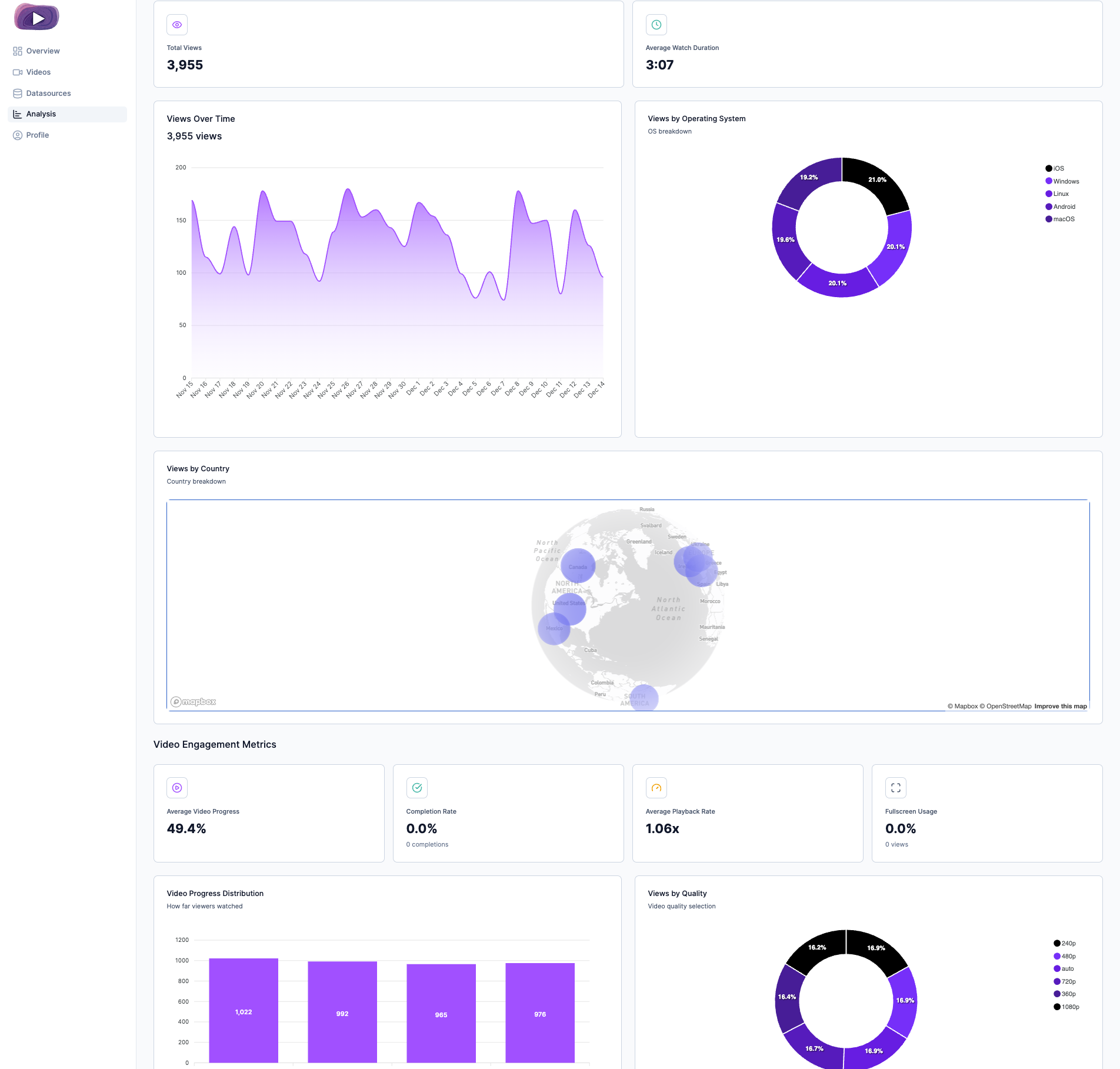
Powerful Analytics Dashboard
Track your video performance with comprehensive analytics. Hover over any section to learn more about each metric.
Ready to get started?
Start creating dynamic videos with real-time data today. No credit card required.
Get started freeBy using our service, you agree to our Privacy Policy and Terms of Service.